Shell Oil scientist M. King Hubbert made a remarkable prediction in 1956. He had analyzed the depletion patterns of various natural resources, and proposed that the production rates of a given resource from a given region would tend to follow a roughly bell-shaped curve. More specifically, he used what is now called the “Hubbert curve”, which is a probability density function of a logistic distribution curve. This curve is like a gaussian function (which is used to plot normal distributions), but is somewhat “wider”:
Hubbert used various reasonable assumptions (which we will not canvass here) in formulating this model curve. Notably, it predicts that the peak production rate will occur when the total resource from that region is 50% depleted, and that the fall in production on the back side of the curve will be as fast as the rise in production on the front (left) side of the curve.
In 1956, while U.S. oil production was still rising briskly, he fit his curve to the data to that point in time, and predicted that U.S. production would peak in 1970 and thereafter enter a rapid and permanent decline. His prediction was somewhat ridiculed at the time, but it proved to be uncannily accurate over the following 25 years; oil production peaked right when King said it would, and then declined per his curve until about 1990:
Lower 48 U.S. Oil Production: Actual (Green curve) vs. 1956 Hubbert Prediction (Red Curve). Blue Arrow marks deviation ~ 1990-2008, and green arrow marks acceleration of shale oil production. Source: Wikipedia, with arrows added.
I drew in a red arrow at 1956 to show when King made his prediction, and also a blue arrow showing a significant deviation that starting to show after about 1990. Once production had declined maybe halfway down from its peak, the production started to flatten out and decline much more slowly. More on this “fat tail” feature below.
Another feature I called attention to with a green arrow is the remarkable resurgence in production after 2008, which is mainly due to “fracking” of tight shale formation. That new-to-the-world technology has unlocked a new set of oil fields which had previously been inaccessible for production. This illustrated a well-recognized feature of Hubbert curves, which is that a given curve can (at best) apply only to a given region and for a “normal” pace of technological improvement. Fracking production should sit on its own up-and-then-down production curve.
The plot above is for lower 48 states only; a big find in Alaska gave a bump in production 1980-2000 (not shown here) which distorted the whole-U.S. production curve. That Alaska oil peaked by about 2000 and is now in its own terminal decline pattern.
The shape of production curve on the back (declining) side is of particular interest in trying to do economic modeling of future oil production. If the declines really follow a Hubbert curve, the prognosis is pretty scary – – oil production is slated to crash to practically nothing in the near future. However, it seems that in reality, after an initially rapid decline, production can often be sustained much longer than predicted by a simple symmetrical curve. We saw that pattern in the lower 48 curve above, starting around 1990, even before the fracking revolution. Below I show two other examples showing the same feature. The first example, from Hubbert’s original paper, is Ohio oil production 1885-1956:
I am not prepared to make quantitative generalizations, but there does seem to be a pattern of sustained production at reduced levels, following the initial rapid decline from the peak. Others also have noted that asymmetric curves may give better fits to real-world production. These “fat tails” on production from various oil-producing regions should help us keep our cars running longer than predicted by simple peak-oil models. How this pertains to future U.S. shale oil production, and to global oil production, are (since oil and gas are the main energy sources for the world economy) key questions, which we may address in future articles.
Before I did research, I thought that deaf people simply could not hear. After seeing the Spiderman episodes that featured Daredevil, I believed that it was plausible and likely that deaf people had some sort of cognitive or sensory compensatory skill.
But it wasn’t until recently that I learned of the Deaf Studies field. There is an entire field that’s dedicated to studying deaf people. It’s related to, but not the same as Disability Studies. In fact, there are some sharp divisions between the two fields.
Last month I posted on “The Different Classes of Crypto Stablecoins and Why It Matters “. The main point there is that some so-called stablecoins (e.g., USDC) maintain their peg to the dollar by holding a dollars’ worth of securities (preferably U.S. treasury notes) for each dollar’s worth of stablecoin. This mechanism requires some centralized issuer to administer it. As long as said issuer is honest and transparent, this should work fine.
Crypto purists, however, prefer decentralized finance (de-fi), where there is no central controlling authority. Hence, clever folks have devised stablecoins which maintain their dollar peg through some settled algorithm which operates more or less autonomously out on the web; various other coins or assets are automatically bought or sold, or created/destroyed in order to keep the main stablecoin value more or less fixed versus the dollar. We warned that this type of stablecoin is “potentially problematic”; it is the sort of thing which works until it doesn’t.
In 2018 the Terra project was launched by Do Kwon and others. The Terra stablecoin (UST) was designed to “maintain its peg through a complex model called a ‘burn and mint equilibrium’. This method uses a two-token system, whereby one token is supposed to remain stable (UST) while the other token (LUNA) is meant to absorb volatility.” Terra grew very rapidly, to become something like the fourth largest stablecoin at over $30 billion in capital value. As the supply of Terra increased, the market value for LUNA also increased. Many investors bought into LUNA and for a while were making big bucks as its value soared. A headline from February read, “LUNA shines with a 75% surge in February as $2.57 billion is delisted.” Woo-hoo! And this headline from May 10 proclaimed, “Terra Ecosystem is the strongest growing ecosystem in 2021.”
However, just as that laudatory article was hitting the internet, Terra/Luna blew up. I am not clear on the exact sequence of events, especially on whether the catastrophe was a result of just some accidental market fluctuation or of deliberate dumping by some party who was positioned to benefit. In any event, the value of Terra quickly dropped from $1.00 to around $0.61, which triggered the issuing of vast amounts of LUNA, which cratered its value by some 98%. Since Luna was mainly what backed Terra, this was a positive feedback death spiral. This is same way the $2 billion IRON stablecoin imploded in June, 2021: a “stablecoin” was backed by an in-house crypto token whose value depended on more people buying into the system. Ponzi scheme, anyone?
Both Terra and LUNA got delisted from major exchanges for several days. As of today, the value of Terra (UST) is about ten cents. Poof, there went some $40 billion of investors’ money, just like that. Do Kwon is under police protection in Seoul after a man who lost $2.3 million in Terra/Luna tried to break into his home to demand an apology.
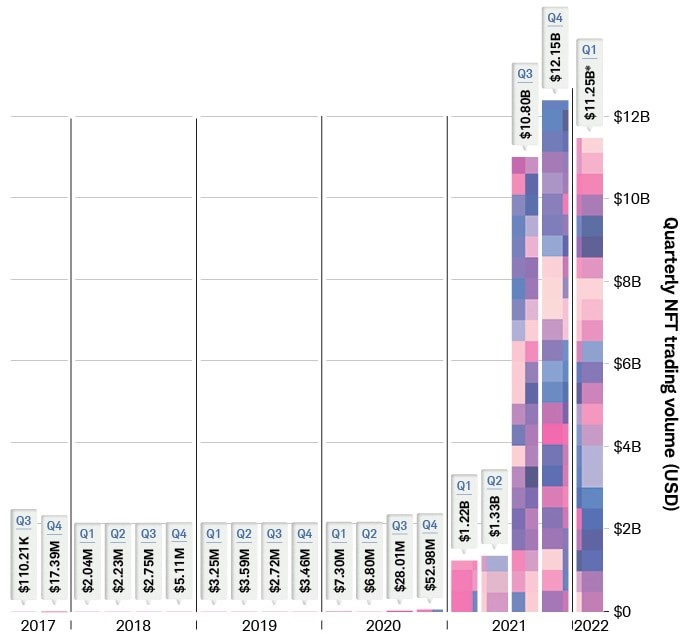
In other news, transactions connected to the insanely (I chose that word deliberately) popular and costly Bored Ape Yacht Club NFTs overwhelmed the Ethereum transaction network about two weeks ago; this is kind of a big deal because a whole lot of de-fi and other blockchain applications depend on Ethereum as the backbone of their transactions:
When Bored Ape Yacht Club creators Yuga Labs announced its Otherside NFT collection would launch on April 30, it was predicted by many to be the biggest NFT launch ever. Otherside is an upcoming Bored Ape Yacht Club metaverse game, and the NFTs in question were deeds for land in that virtual world. Buoyed by the BAYC’s success — it costs about $300,000 to buy into the Club — the sale of 55,000 land plots netted Yuga Labs around $320 million in three hours.
It also broke Ethereum for three hours.
Users paid thousands of dollars in transaction fees, regardless of whether those transactions succeeded. Because the launch put load on the entire blockchain, crypto traders were unable to buy, sell or send coins for hours. The sale highlights the growing profitability of the NFT market but also the uncertainty around whether blockchains are robust enough to handle the attention.
… Because the Otherside mint impacts the whole Ethereum blockchain, people doing completely unrelated things like selling ether or trading altcoins would also have to pay huge fees and wait hours for their transactions to clear. Someone tweeted a picture of them trying to send $100 in crypto from one wallet to another, showing it required $1,700 in gas fees.
The Raspberry Pi 400 is billed as a complete desktop PC for under $100 ($99.99). Is this for real, considering the cheapest regular computers are around $300 (plus paying for Word and Excel)? Your intrepid correspondent here dives deep to bring you the truth.
The Raspberry Pi series of microcomputer have been around since 2011. A typical Raspberry Pi is a printed circuit board, about 3 inches by 5 inches, with a microprocessor chip, some RAM memory, and many input/output ports. These ports include four USB ports, two micro-HDMI monitor ports, an Ethernet LAN port, a 3.5 mm audio/visual jack, and special camera-related ports (which can also handle a touchscreen). Also, a port for a micro-SD memory card, which is where the operating system and apps and data reside. But wait, there’s more: in addition to Bluetooth and wi-fi capability, the Pi has a 40-pin port for input and output to interact with the physical world. All this for around $35! [1]
Developed by the British nonprofit Raspberry Pi Foundation as an affordable educational tool, millions of Raspberry Pi units have been purchased by students and techies to learn-as-you-play and to do some useful projects. I have been aware of these devices for years, but I have been put off by how many peripherals you have to add to get an actual working unit – you have to add a USB-C type power supply, a keyboard, a mouse, and a monitor or other display. And you have to make or buy a case to put the circuit board in. All of which seems like a sprawling mess of wires and stuff. Also, the Pi does not have the computing power and memory to graciously run Windows and Microsoft Office apps like Word. Instead, it uses a Linux operating system instead of Windows, and LibreOffice apps for word processing and spreadsheets. I have never used Linux; it sounded exotic, maybe with a steep learning curve.
However, the good folks at the Raspberry Pi Foundation have come out with a new package for the Pi. This is the Raspberry Pi 400. The computing guts are housed inside a keyboard, with all the ports in the back. Thus, they provide the case and a keyboard, all in one tidy package, for about $70. The 400 lacks a few of the input/output ports found on the regular Pi, namely the camera-related I/O and the 3.5 mm headphone/video jack, but retains the 40-pin I/O port. For $100 you can get the complete Raspberry Pi 400 Personal Computer kit which includes a power supply, a mouse, a micro-SD card with operating software, a cable for the monitor, and a thick manual. I finally succumbed and bought the complete kit. [2] (Tip: To get the $100 price, you may do better to find a physical store location like Micro Center, since sellers on Amazon mark it way up to around $160, or sometimes they substitute the bare keyboard for the full kit). You just need to supply a monitor or a TV that has an HDMI input. [3]
So, how good is the Raspberry Pi 400? I have been pleasantly surprised. First, there was almost no learning curve on using the operating system. The version of Linux that is on the microSD card and which gets booted into the working RAM has a very Windows-like visual interface. I did not have to type in any arcane commands. It was all obvious point and clicks to open apps and documents. It helps that this is a pretty simple system, so not a lot of choices to wade through.
I entered my LAN wi-fi password, and was immediately on the internet using the built-in generic Chrome (not Google Chrome) browser. With the recent, improved software on the Pi, it happily streamed YouTube videos, etc. The LibreOffice suite includes apps which have most of the capabilities of Microsoft Office Word, Excel, and PowerPoint. You can configure some settings in LibreOffice to get the appearances, menus, etc., to even more closely match the Office apps. LibreOffice can save and open files in standard Office formats ( .docx, .xlsx, etc.) so as to share files with the rest of the world. This is pretty good for free software.
I’d rate the keyboard experience as “OK”. The keys are full size, but the feel and the keyboard angle are enough different from my laptop that my typing was slow. Maybe that would improve with use. If I were going to do a lot of typing on this, I would prop it at a more horizontal angle and rest my wrists on a pad sitting in front of the keyboard, to replicate my hand position on my laptop.
I have not yet played around with the 40-pin I/O port on the Pi 400. That sets it apart from a regular PC, giving the user a means to read inputs from the physical world, analyze them, and output desired actions (e.g., operate the watering hoses in a greenhouse or garden, depending on temperature and dryness of the ground). There are zillions of plans available on line for projects controlled by Raspberry Pi’s. Some are practical, some involve robots, and some are just whimsical, like retro video games and like this sugar cube launcher, which measures the distance to a coffee cup and shoots a sugar cube through the air with a trajectory calculated to land it in the cup. And here are another 26 Awesome Uses for a Raspberry Pi , including stop-motion and time-lapse videos (may not work on Pi 400 because it lacks regular Raspberry camera interface) and turning your Raspberry into a Twitter bot or web server that can host your own blog site.
The Verdict: Is This a Real PC?
Would I recommend this as a primary computer? Well, maybe, for someone on an extreme budget or living in a low-income country, or for someone in a situation where their computer is liable to get lost or broken or stolen. After all, it can do practically anything that a regular PC can do (email, YouTube, word processing, etc.). One area it falls way short in is compute-intensive gaming, so it is not for you if you need realistic spatters on your screen for Call of Duty. Also, if you have to go out and buy a new $150 monitor to use it, the value proposition starts to fall apart, but usually you have an old monitor or TV around or can borrow one from someone.
The LibreOffice apps will do most of what Microsoft Office does. The Pi cannot download Office and run it offline. However, if you can’t live without the authentic Microsoft Word experience, you can use the Pi as a terminal to log into Microsoft 365 and pay for and run the Web version of Word, Excel, etc. Also, you can plug in a USB microphone and USB webcam and use the Pi with Zoom.
Here is a list of further recommended programs ( all open source, Linux compatible) to install on a Raspberry Pi. These include programs for photo editing, media streaming, gaming, and connecting to a VPN. Here are more tips on the Pi 400 for home office use, including printing and online collaboration tools.
So, yes, a Pi 400 can do most of what desktop PC does, all for $99.99 plus tax [4]. Not to mention not paying an extra $150 or so for Microsoft Office. That said, most of us already have a portable laptop as our primary computer. We can carry it anywhere, and it has built-in display, camera, and speakers. And we have a large monitor on our desk for the desktop experience. For most of us, it is worth spending say $600 for our laptop-plus-monitor versus using an underpowered desktop PC tethered to a monitor and power cord.
So, realistically, most adults in the West would not probably choose the Pi 400 as their primary computer. However, it is a great little spare machine to have around for guests or for kids or for if something happens to your main PC. It can be a second PC on the corner of your desk to use while your main computer is tied up on a Zoom call. Multiple people (e.g. students in a classroom) can share a Pi, especially if each person has their own microSD card or USB to store their individual documents. You could use a Pi to stream music or video over some random speaker or monitor or TV or dedicate it to some similar specific purpose.
The software load includes Python, a popular programming language which may be worth learning. Also, the Linux operating system is very widespread in the computer world, powering most servers, so it can be useful to learn Linux as well. Although the newbie user will likely just use the Windows-like graphical user interface, the command line text Linux commands are available for use and practice on the Pi. The Pi 400 software also includes “Scratch” (good tutorial here):
Scratch is an easy to use block-based visual programming software that can run on a Raspberry Pi. Using this tool, you will be able to create your very own animations, games, and more using a straightforward drag-and-drop interface. The Scratch software is a great way to get young people started with programming and develop a general interest in computing.
The Raspberry Pi is a powerful tool for interfacing with the physical world, in the “internet of things.” A tech-inclined person (including a high school student) can find or invent a variety of fun and useful projects which make use of the input/output capabilities of the Pi. Since the internet can be problematic for kids, these sorts of projects with the Pi can keep them busy and learning on a real computer without necessarily having routine internet access.
Endnotes
[1] Some even cheaper, more stripped-down Raspberries have recently become available, such as the Pico and the Zero 2 W, to use as dedicated microprocessors for some specific application.
[2] I think one reason I got the Pi 400 was sheer nostalgia; my very first personal computer, purchased around 1985, was a Commodore 64. Like the Pi 400, the Commodore 64 was a low-cost keyboard with interface ports that you hooked up to a TV or monitor. I used the I/O port on the Commodore to control a Radio Shack robot arm, using relays on a printed circuit board that I etched myself. Good times.
[3] Normally, the sound output from the Pi 400 is transmitted to the monitor/TV along with the video in the HDMI. If you have some old monitor or TV that only has VGA video input, you can buy an adapter cable that converts HDMI to VGA (make sure you specify male/female correctly), but that only gets you the visual output. To hear the sound in this case, you’d have to either pair up an external Bluetooth speaker with the Bluetooth in the Pi, or plug in a USB speaker. (The other Raspberry Pi models, like the 4 B, include a 3.5 mm jack that sends both sound and video, so you could just plug in a headphone and skip the USB speaker).
A couple of random tips on the Pi 400 keyboard: The Raspberry key, near lower left, brings up the main menu. To get a clean shutdown, properly saving and closing documents and apps, use Fn F10. Another observation: You can run the Pi off a USB thumb drive instead of the micro-SD card, which can give faster performance and more storage.
[4] One learning I got from doing this review is that you could use your phone as a desktop PC: with an iPhone or iPad, for instance, you can drive an external monitor with a cable from the Lightning port, and use a Bluetooth keyboard/mouse for inputs. There are word processor and other apps that run on phones and tablets, including Microsoft Office. This should give a computing experience similar to that on a Raspberry Pi, although using iOS or Android-specific forms of the various apps.
Courtesy of the St. Louis Fed, you can download a report published in 1958 titled “Automation and Employment Opportunities for Office-Workers: A Report on the Effect of Electronic Computers on Employment of Clerical Workers, with a Special Report on Programmers.”
I teach students about data and software to prepare them to enter the hot field of business analytics. It has been a growing field for a few years, especially since the advent of “Big Data”. Something I explain in class is how brand-new technology has changed business.
Reading this report forced me to re-think just how new data analytics is. The authors saw machines in use for data processing and correctly predicted that this would be a dynamic source of new jobs.
The introduction states that millions of “clerical workers” were employed in the United States. That fact would have been obvious at the time, but today we might not realize just how many humans would be needed to store and fetch the files we access regularly on our computers. The creation of clerical jobs was especially important for women.
In view of the volume of work that needed to be done, installing new computers was economical. “A computer system can automatically do such jobs as prepare payrolls for thousands of employees, control inventory on a multitude of items…”
“Although computers are often described as machines that can “think,” that is, of course, not so. Like other machines, they must be operated or controlled by people… The people who prepare the instructions are called programmers.”
“Electronic computers were developed during World War II as an aid in solving intricate scientific and engineering problems such as gunfire control, but their application to the processing of office data is more recent. The Federal Government lead the way in 1951, when an electronic computer was installed by the Bureau of the Census…”
The authors see the primary role of computers in business as a way to automate the routine work that could be performed by clerks. Secondly, they state that computers can by used for solving complex math problems “such as those related to launching and tracking earth satellites.”
The report was created for young people who are considering their own choices for education and careers. The authors describe the programming but also various machine support roles. For example, the Coding Clerk’s job is to convert the programmers’ instructions into “machine language”.
The authors recognize that computers will replace some of the traditional clerk roles. “These developments will not only increase the output of clerical workers and slow down growth in clerical employment, but will also change the character of many jobs… Many of the new jobs … will generally pay better and require higher levels of skill and training than most other clerical jobs.” The next sentence is where the authors fail to predict PCs and the internet: “Moreover, a continued increase is expected in the number of officeworkers in jobs not greatly affected by office automation – for example, secretary, stenographer, messenger, receptionist, and others involving contacts with customers and the public.”
The discussion of women in the workplace is clinical in tone. Turnover is high in the clerical fields because many young women stop working when they get married or have children.
There is a special report on “programmers”, one of the newest occupations in the country. Programmers specialize in either of the following: 1) “processing the great masses of data which have to be handled in large business and government offices” 2) “solving scientific and engineering problems”.
The authors describe typical training and career paths. At the time, a college student could not major in computer science. Companies were filling most positions by selecting employees familiar with the subject matter and giving them training in programming. A few colleges purchased computers and provided some training opportunities.
The culture was different back then. “Although many employers recognize the ability of women to do programming, they are reluctant to pay for their training in view of the large proportion of women who stop working…” The authors tip off their female readers that they are more likely to get training in government than industry, if they aspire to be programmers in the 1950’s. Today, the risk and cost of training has largely shifted from the employer to the worker. If you are interested in the topic of bootcamps and STEM pipelines, read the document for their discussion of education.
These authors made a good long-term prediction because they anticipated the business analytics boom. “Continued expansion in employment of programmers is expected over the long run… In offices where the volume of recordkeeping is great, there will continue to be need to reduce the cost of processing tremendous amounts of data and to produce more timely reports on which management decision can be based.” After explaining salary, they talk about perks: “Programmers usually work in well lighted, air-conditioned, modern offices. Employers make special efforts to provide better than average surroundings for programmers, so that they may concentrate to achieve the extreme accuracy necessary for programming.” The nap pods of Silicon Valley have a long history that can be traced back to the Census Bureau.
What if you could get your phone or tablet to read Kindle or other text aloud to you? I have recently come across an easy way to do this. This is an economics blog, so I will note that this approach saves considerable money versus paying for audio books like Audible, or paying for the Narration option on Kindle. Most of us already have text books we have bought from e.g. Kindle. Also, if you search on the subject, there are various sources for free on-line books, including hundreds of thousands titles available through Libby/Overdrive via your public library. This text-to-voice method should work with all of these e-books.
Directions for iPhone/iPad: A short YouTube video “How to get your iPhone to read Kindle books aloud” by Kyle Oliver tells you all you need to know. The key step is to go to Settings, then Accessibility, then Spoken Content. At that screen, turn on Speak Screen. With Speak Screen ON, whenever you are on a page with text (including Kindle or other e-book), you swipe down from the top of the screen with two fingers. That will activate reading of that page of text. Also, a little speech control panel will appear. That panel will allow you to play/pause/jump forward and back. It will also allow you to you toggle between multiple speeds: 1x, 1.5x, 2x, & 1/2x.
If you want, while you are in the Spoken Content screen you can also turn on Speak Selection. That will give a Speech option to read aloud just whatever text that you have select, and then stop.
Also, on in the Spoken Content screen there is a Voices link, for selecting what voice you want to hear. You can experiment with various voices. I have found that the male Siri voice (“Siri voice 1”) is preferable. The female Siri is too syrupy sweet listen to for long, and most of the other voices are robotic. I find that if I select a new voice, I have to turn the reading off, then on again to get the new voice to start working. One more tip from that YouTube is to dim your screen, since with continuous reading of Kindle pages, the screen will stay on, and drain the battery quickly if the screen is bright.
Once you do the two-finger swipe down to commence reading, it should keep reading onto following pages as well. For unknown reasons that does not work sometimes. I find that using the jump forward then jump back buttons on the little speech control panel unsticks this functionality.
(In this blog post I originally referenced 2017 video Kindle Android Text to Speech . This got rave comments back when it was first put on YouTube, but more recent comments there suggest that Android may have changed so that this approach no longer works well).
There is a harder way to do all the above, which is to download a separate text-to-speech app like Speechify or Voice Dream Reader. These apps will read most text that is on your screen, but NOT Kindle or other e-books that have Digital Rights Management (DRM) protection. For these e-books, you’d have to download yet another app such as Epupor Ultimate on your computer, download your Kindle files onto your computer, then run Epupor on these files to create unprotected versions. Then, I suppose, load these files back onto your phone/tablet where the text-to-speech app can access them to read aloud. This does not seem worth it (compared to the simple method above using built-in iPhone/Android capabilities) unless you want to utilize some extra feature of the outside text-to-speech app.
Note: Under the subject of low cost text to speech, there are apps like Librivox or (using your local library) Overdrive or Libby that offer free audiobooks – see this article by LifeWire. Also, you can find audio versions (which probably violate copyright) of many popular and classic books on YouTube. If a book is already available as an audiobook, it is probably better to use that format for listening to it, rather than downloading it in text form and then using the approach here for listening.
For nearly 200 million years, reptiles were the dominant animals on land, in the air (e.g. pterodactyls), and in the sea (e.g. mosasaurs). They were efficient herbivores, munching on lush vegetation, and also were efficient carnivores (think: T. rex). They were protected by scaly skin and often horns or armor plates. Mammals at this point were typically small, rat-like creatures, hiding in their burrows from the reptiles, and creeping out at night to feed.
However, the Age of Reptiles came to a sudden end 66 million years ago. Dinosaurs and many other large reptiles disappeared, which gave opportunity for mammals to rapidly evolve and proliferate to fill many key ecological niches. What happened to all those reptiles? The leading hypothesis is that a huge meteorite impacted the earth near what is now the Yucatan peninsula of Mexico. The dust and aerosol cloud that was thrown into the atmosphere darkened the skies around the world enough to shut down photosynthesis long enough to starve the reptilian herbivores, which in turn starved the reptilian carnivores. Somehow enough mammals survived the event to repopulate the earth (my guess is they ate insects which ate dead dinosaurs).
The impact blasted tons of molten rock droplets high in the air, which then fell as little glassy spheres or dust particles all over the world, and especially in North America. Where these “tektites” fell in undisturbed places like bogs, they accumulated as a distinct layer. Over time, these spheres decomposed into a clay layer which is distinguished by a high iridium content. Here is a cut-out section of rock which shows this meteorite-derived boundary layer between lower (older) rocks that contain dinosaurs and an overlying layer where dinosaurs are absent:
Rock section showing layers from the Cretaceous Period (when dinosaurs lived), overlaid by boundary layer material from the asteroid strike 66 million years ago, and then younger Paleogene rocks (no dinosaurs). Source: Phil Manning/Uni of Manchester, UK.
Exactly When and How Did the Dinosaurs Perish?
The picture is complicated by the fact that very few dinosaur fossils have been found in roughly three meters (ten feet) of sedimentary rocks immediately below the Ir-rich meteorite layer. This is known as the “three-meter problem”, and suggests that the dinosaurs had already largely died out from other causes; maybe the meteorite impact just finished them off. Shortly before the impact event, there was a massive series of volcanic eruptions in the Deccan Traps area of India which released enormous amounts of sulfur dioxide and other gasses in the atmosphere, which probably altered the climate. It has been proposed that this fatally stressed the dinosaur populations.
Recent finds from the “Tanis” fossil site in North Dakota have brought clarity to this question. Apparently when the meteorite hit in what is now Mexico, it created a forceful earthquake. When this tremor rolled up to North Dakota, it caused several large waves of water to surge upstream in a creek near the sea, which deposited layers of muddy clay on preexisting sandbars. This occurred several hours after the impact. Providentially, that was just when some of the small glassy spheres which were blasted into the atmosphere were raining down on North Dakota. Some of these spheres, and even their little impact depressions from smacking into the mud at terminal velocity, have been found in the layers of sediment deposited on the sandbars. So we know that whatever fossil remains we find in these sediments were entombed there on the very day the meteorite hit.
It turns out that numerous fossils of dinosaurs have been found in these Tanis mud layers, indicating that there was a thriving community of huge reptiles right up until the impact. These finds include a dinosaur hip/leg with exquisite details of skin preserved, and an egg with a partly-developed pterosaur embryo visible in it:
Ornithischian dinosaur hip/leg/skin from Tanis site. Source: BBC
Fossilized egg with bones of pterosaur embryo in it. Source: Yahoo
Also, immediately below the mud deposit layer have been found numerous dinosaur footprints, indicating the juvenile and adult dinosaurs from a variety of species were tramping around shortly before the impact event:
Source: Riley Wehr et al. paper at 2021 GSA Conference
Bottom line: it looks like we humans do owe our existence in large part to this one, seemingly random meteorite impact which cleaned out the dominant reptiles and made room for mammals.
Oil production is a difficult, risky business even under favorable regulatory regimes. For instance, here is a chart of cumulative bankruptcy filings of exploration and production (E&P) companies for 2015-2021:
A few companies go bust every year, but there are some years like 2015-2016 and 2019-2020 when a lot of companies go bust. That happens when the oil industry collectively has overproduced and driven the price of oil below the effective cost of production. Even the mighty ExxonMobil ran deep in the red in 2020, losing an eye-watering 22.4 billion dollars. With all that in mind, shareholders since 2020 have been pressuring companies to show “financial discipline”, which means “drill less”.
Beyond these basic business realities, there is a whole new set of pressures to inhibit petroleum production. Environmental activists have pushed banks to withhold funding from petroleum companies, to strangle further oil production. It was big news in 2020 when activists, alarmed by ExxonMobil’s plans to actually (gasp) increase its oil production, successfully elected several alternative members to the board of directors with the specific goal of curtailing further drilling.
There have been attacks on the oil industry on the political front, as well. Joe Biden ran on a platform of banning drilling on public lands, and one item he checked off his to-do list on his first day in office was to issue an executive order killing a pipeline that would have facilitated imports of oil from the abundant reserves in Canada. One of his nominees for a top financial regulatory post remarked regarding oil producers that “we want them to go bankrupt if we want to tackle climate change”. All these are the sorts of things that make execs less willing to commit capital for expensive drilling programs that may take years to pay back. (The counter-claim by the administration that the U.S. oil industry is just sitting on thousands of unused oil leases is a red herring).
There is only a finite amount of oil in the ground, so it makes sense to move with all deliberate speed toward renewable and nuclear energy (which emits little or no CO2). However, our European friends who have installed lots of solar panels and windmills have discovered that the sun does not shine at night (!) and the wind does not always blow strongly (!!) , and so during their energy transition they need to maintain an adequate supply of fossil fuel power in order to keep the lights on. They elected to let their own oil and gas production dwindle, and rely instead on gas and oil purchased from Russia. We warned back in September that this European policy would give Russia leverage for harassing Ukraine, but apparently not enough EU leaders read this blog. Anyway, even back in the fall of 2021, Russia had restricted natural gas deliveries to Europe, causing sky-high prices there for gas and power.
The European experience ought to have been a cautionary tale for America, but political attacks on oil production continued in the halls of Congress itself. In an October 2021 hearing over climate change prevention, Carolyn Maloney (D-NY) and Ro Khanna (D-CA) insisted that Big Oil commit to reducing US oil and gas production by 3-4% annually (50-70% total by 2050). In a follow-up February 8, 2022 hearing, the two legislators again demanded concrete commitments from oil companies to reduce their domestic production (although, strangely, Mr. Khanna supported President Biden’s call for other regions, such as OPEC and Russia to increase production).
With oil drilling having been curtailed for the past several years (as desired by environmentalists), the world has now flopped from an oil surplus to an oil shortage, exacerbated by Russia’s invasion of Ukraine and subsequent sanctions. And of course world oil prices (which are not under the control of U.S. companies) have gone up in response. Oil companies are actually making money again instead of going bankrupt like two years ago
In 2021 Apple had a 26% net profit margin and an effective tax rate of only 13%, while the oil industry had an average profit margin of 8.9% and an effective tax rate of 26.9%. Yet Congress (mainly Democrats) “investigates” price gouging every time gas prices go up, without hauling in Tim Cook to grill him over the price of each new iPhone model. Repeated previous investigations have shown that domestic gasoline prices are mainly a function of world oil prices, which are not under the control of U.S. companies. Nevertheless, after berating oil execs for increasing oil production, here come the grandstanding Congressional attack dogs, holding a hearing last week titled (wait for it…) “Gouged at the Gas Station: Big Oil and America’s Pain at the Pump”.
The oil producers patiently explained that “We do not control the price of crude oil or natural gas, nor of refined products like gasoline and diesel fuel,” and “”It [the U.S. oil industry] is experiencing severe cost inflation, a labor shortage due to three downturns in 12 years, shortages of drilling rigs, frack fleets, frack sand, steel pipe, and other equipment and materials.” But it is not clear that anyone was listening to the facts.
Last month the Biden administration issued an executive order outlining some priorities and aspirational goals regarding government initiatives and future regulations regarding cryptocurrencies. These goals may be summarized as:
1. Protect Investors in the Crypto Space
2. Mitigate Systemic Risks from Innovations
3. Provide Equitable Access to Affordable Financial Services
4. Ensure Responsible Development of Digital Assets
5. Limit Illicit Use of Digital Assets
6. Research Design Options of a U.S. Central Bank Digital Currency (CBDC)
7. Promote U.S. Leadership in Technology
These positions seem generally reasonable and moderate, and were welcomed by the cryptocurrency community, which had feared a more restrictive stance. (China, for instance, has banned cryptocurrency use altogether).
Why Fear Stablecoins?
Here I’d like to focus on #2, “Mitigate Systemic Risks from Innovations”. Although so-called stablecoins are not explicitly mentioned in the executive order, it is understood that they represent a key area of concern for regulators.
A stablecoin typically has its value pegged 1:1 to a leading national or international currency such as the U.S. dollar or the euro, or to some commodity like gold, or even to other cryptocurrencies. In practice, most of them have generally held pretty well to their pegs. So what’s not to like about them? Why would they be perceived as more of a threat that, say, bitcoin, whose dollar value is all over the map?
I think the reason is that market participants count on them maintaining their (say) dollar peg. These coins are used as dollar substitutes in billions of dollars’ worth of transactions and are depended on to hold their value.The total value of stablecoins in use is nearly $200 billion and is growing fast. If a major stablecoin crashed somehow, it could lead to significant instability, which regulators don’t like.
Four Major Types of Stablecoins
Stablecoins may be classified according to how their “tether” is maintained:
( 1 ) Pegged to fiat currency, maintained by a central stablecoin issuer
The biggest U.S.-based stablecoin is USD Coin (USDC), which is backed by significant financial institutions. There is every reason to believe that there is in fact a dollar backing each USDC. Gemini Dollar (GUSD) is smaller, but also takes great pains to garner trust. Its issuer, Gemini, operates under the regulatory oversight of the New York State Department of Financial Services (NYDFS). It boasts, “The Gemini Dollar is fully backed at a one-to-one ratio with the U.S. dollar. The number of Gemini dollar tokens in circulation is equal to the number of U.S. dollars held at a bank in the United States, and the system is insured with pass-through FDIC deposit insurance as a preventative measure against money laundering, theft, and other illicit activities.”
So far, so good. The huge stinking elephant in the room here is a stablecoin called Tether. Tether is the largest stablecoin by market capitalization (at $79 billion), and is heavily used as a dollar substitute, mainly in Asia. It has been widely criticized as a shady, unaudited operation, operating from shifting off-shore locations to avoid regulation (and prosecution). There are justified doubts as to whether the claimed 1:1 dollar backing for Tether is really there. Tether sort-of disclosed its backing reserves in the form of a sparse pie-chart. Very little was in the form of cash or even “fiduciary deposits”. Some was in the form of “loans” to who-knows-what counterparties. The majority of their holdings were “commercial paper”; but nobody can find any trace of Tether-related commercial paper in the whole rest of the financial universe (it has become a sort of game for financial journalists to try to the be first one to actually locate any legitimate Tether assets).
So, Tether by itself may justify concern on the part of regulators. Also, without diving too deeply into it, a plethora of financial institutions and tech companies are starting to issue their own stablecoins, which again are purported to be as good as cash, and so are vulnerable to abuse.
( 2 ) Stablecoins backed by commodities
Tether Gold (XAUT) and Paxos Gold (PAXG) are two of the most liquid gold-backed stablecoins. Other coins are tied to things like oil or real estate. The holder of these coins is depending the coins issuer to actually have the claimed backing.
( 3 ) Cryptocurrency Collateral (On-Chain)
It is hard to explain in a few words how this type of coin works. A key point here is that your stablecoins are backed by other, leading cryptocurrecies (such as Ethereum), with the process all happening on the decentralized blockchainvia smart contracts. A leading coin here is DAI, an algorithmic stablecoin issued by MakerDAO, that seeks to maintain a ratio of one-to-one with the U.S. dollar. It is primarily used as a means of lending and borrowing crypto assets without the need for an intermediary — creating a permissionless system with transparency and minimal restrictions.
Unlike with the two types of stablecoins discussed above, you are not dependent on the honesty of some central issuer of the stablecoin. On the other hand, Wikipedia notes:
The technical implementation of this type of stablecoins is more complex and varied than that of the fiat-collateralized kind which introduces a greater risks of exploits due to bugs in the smart contract code. With the tethering done on-chain, it is not subject to third-party regulation creating a decentralized solution. The potentially problematic aspect of this type of stablecoins is the change in value of the collateral and the reliance on supplementary instruments. The complexity and non-direct backing of the stablecoin may deter usage, as it may be difficult to comprehend how the price is actually ensured. Due to the nature of the highly volatile and convergent cryptocurrency market, a very large collateral must also be maintained to ensure the stability.
( 4 ) Non-Collateralized Algorithmic Stablecoins
The price stability of such a coin results from the use of specialized algorithms and smart contracts that manage the supply of tokens in circulation, similar to a central bank’s approach to printing and destroying currency. These are a less popular form of stablecoin. The algorithmic coin FEI proved unstable upon launch, although it has since achieved an approximate parity with the dollar.
Some takeaways:
Stablecoins are a big and fast-growing piece of practical finance.
These coins bring a different kind of risk, because (unlike Bitcoin or Ethereum), users depend on them holding a certain value.
For the coins backed by major fiat currencies or commodities, risk is introduced by the need to depend on the honesty and competence of the centralized coin issuers.
For the non-centralized stablecoins like DAI and FEI, there are risks associated with proper automatic functioning of their protocols.
One can understand, therefore, the urge of the federal government to impose regulations in this area. That said, it does not seem to me that the existing system is broken such that the feds need to come in to fix it in a major way. The main shady actor in all this is Tether, which everyone knows to be shady, so caveat emptor (and the vast majority of Tether transactions occur outside the West, in the East Asian shadowlands).
There is a difference between healthy zeal for a basically good cause like reducing CO2 emissions, and unbalanced myopia. Back in September I wrote about the European power debacle (skyrocketing gas and electricity prices):
Shut down your old reliable coal and nuclear power plants. Replace them with wind turbines. Count on natural gas fueled power plants to fill in when the breeze stops blowing. Curtail drilling for your own natural gas, and so become dependent on gas supplied by pipeline from Russia or by tankers chugging thousands of miles from the Middle East. What could possibly go wrong?
Well, now we know what can go wrong.
In January I noted more specifically, “This energy shortage also makes Europe very vulnerable to Russia, at a time when Putin is menacing Ukraine with invasion.” Now it has come to pass. All the huffing and puffing about economic sanctions on Russia is mainly just hot air. Because Europe is utterly dependent on Russian gas, massive “carve-outs” have been made in sanctions in order to continue these purchases to continue. The vaunted SWIFT restrictions on Russian banks have been carved down to practical irrelevance. While sanctions may impact the lifestyles of oligarch playboys, this flow of euros to Russia ensures that Putin will not run short of money for his war.
Ecomodernist Michael Shellenberger writes that behind the Ukraine military drama “is a story about material reality and basic economics—two things that Putin seems to understand far better than his counterparts in the free world and especially in Europe.” Shellenberger asks, “How is it possible that European countries, Germany especially, allowed themselves to become so dependent on an authoritarian country over the 30 years since the end of the Cold War?” and then answers this question in his trademark style:
Here’s how: These countries are in the grips of a delusional ideology that makes them incapable of understanding the hard realities of energy production. Green ideology insists we don’t need nuclear and that we don’t need fracking. It insists that it’s just a matter of will and money to switch to all-renewables—and fast. It insists that we need “degrowth” of the economy, and that we face looming human “extinction.” (I would know. I myself was once a true believer.)
… While Putin expanded Russia’s oil production, expanded natural gas production, and then doubled nuclear energy production to allow more exports of its precious gas, Europe, led by Germany, shut down its nuclear power plants, closed gas fields, and refused to develop more through advanced methods like fracking.
The numbers tell the story best. In 2016, 30 percent of the natural gas consumed by the European Union came from Russia. In 2018, that figure jumped to 40 percent. By 2020, it was nearly 44 percent, and by early 2021, it was nearly 47 percent.
…The result has been the worst global energy crisis since 1973, driving prices for electricity and gasoline higher around the world. It is a crisis, fundamentally, of inadequate supply. But the scarcity is entirely manufactured.
Europeans—led by figures like Greta Thunberg and European Green Party leaders, and supported by Americans like John Kerry—believed that a healthy relationship with the Earth requires making energy scarce. By turning to renewables, they would show the world how to live without harming the planet. But this was a pipe dream. You can’t power a whole grid with solar and wind, because the sun and the wind are inconstant, and currently existing batteries aren’t even cheap enough to store large quantities of electricity overnight, much less across whole seasons.
In service to green ideology, they made the perfect the enemy of the good—and of Ukraine.
There we have it. It’s not just the Europeans. As I write this, shells are raining down on Ukrainian cities but the U.S. is not restricting its imports of Russian oil, lest our price of oil go even higher. The present oil shortage (even before the Ukraine invasion) is what happens when a president on his first day in office signs an executive order to cancel a pipeline expansion which would have enabled increased oil production from Canada’s massive oil sands, and the whole ESG movement hates on investing in projects for producing oil or gas.
All that said, what the West gives with one hand it may take back with the other. Although energy exports from Russia are theoretically permitted, Western private enterprises, including finance arms, are pulling back from any dealings with Russia. This means in practice, lots of wrenches are being thrown into the machinery of international finance, such that energy exports from Russia are being slowed, though not stopped. But in turn, the Russians are getting higher prices per barrel for the oil that does get exported. There are many moving parts to all this, so we will see how it all shakes out.